Email Authentication & Deliverability Inspection
Every domain gets inspected.
Declare a domain below. We check its MX, SPF, DMARC and common DKIM selectors against the public record, then stamp the result — the same way a manifest gets cleared, held, or rejected at the dock.
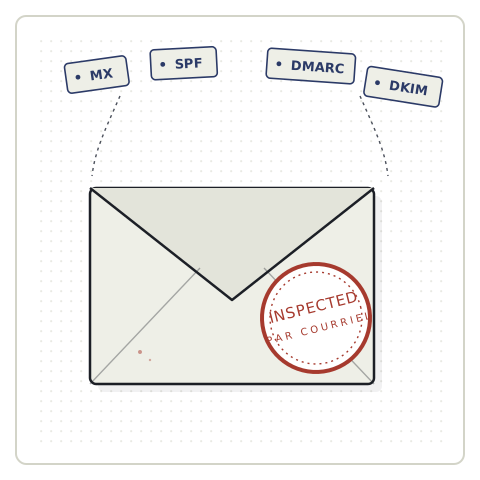
What gets inspected
Everything below is read straight from the public record — nothing is guessed, and nothing requires access to your server.
Mail routing
Confirms active mail servers are configured to receive email for the domain at all.
Sender policy
Flags a missing record, duplicate records, or a weak +all/?all policy that lets anyone send as you.
Enforcement policy
Reads whether unauthenticated mail is monitored only (p=none) or actually quarantined/rejected.
Common selectors
Probes selectors used by Google, Microsoft, Mailchimp, SendGrid, Postmark, Brevo and others.
Contact form
Scans the homepage for Contact Form 7, WPForms, Gravity Forms, Fluent Forms and other common plugins.
What can't be seen from the dock
A manifest inspection is thorough, but it isn't the same as opening every crate. Here's what an outside scan genuinely cannot confirm.
Server-side mail delivery
Whether wp_mail() or PHP mail() actually works on your host can't be known without sending a live test email.
Inbox placement
Passing every public check does not guarantee a message lands in the inbox instead of spam.
Custom DKIM selectors
DKIM has no public discovery record. A miss on common selectors means exactly that — not that DKIM is absent.
Form submission routing
Detecting a contact form is not the same as confirming its submissions actually reach an inbox.
How an inspection runs
Three steps, all handled on this page.
Declare
Enter the domain at the desk above. No account or verification needed.
Inspect
The server reads public DNS records and the homepage markup in real time.
Clearance
The manifest is stamped CLEARED, HELD, or REJECTED, with the full line-item detail underneath.
Don't wait for mail to go missing
Run the inspection above, or go straight to a manual audit if you already suspect a problem.
Request a Manual AuditFAQs
What does this inspection actually check?
We read your domain's public DNS records — MX, SPF, DMARC, and common DKIM selectors — plus scan your homepage for a contact form. Everything here is publicly available; we don't access your server, hosting account, or mailbox.
My manifest says "all clear" but my emails still aren't arriving. Why?
Passing every public check confirms your domain is configured to send authenticated mail — it doesn't confirm mail is actually leaving your server or landing in the inbox. The most common WordPress culprits (broken wp_mail(), a host blocking outbound port 25/587, a plugin conflict) are all server-side and invisible from a public scan. That's exactly what a manual audit checks.
Why does WordPress email break so often?
By default, WordPress sends mail through PHP's mail() function, which most hosts throttle, block, or silently drop — especially shared hosting. Add a mismatched SPF/DKIM setup, an SMTP plugin misconfigured after a migration, or a caching plugin swallowing form-submission hooks, and mail can fail without any error ever showing up in wp-admin.
What's the difference between SPF, DKIM, and DMARC?
SPF lists which servers are allowed to send mail for your domain. DKIM signs your messages so receivers can verify they weren't altered in transit. DMARC tells inbox providers what to do if a message fails either check — and gives you visibility when it happens. All three working together is what most mailbox providers now expect before they'll trust your mail.
I have SPF and DKIM set up — why is mail still going to spam?
Authentication passing is necessary but not sufficient. Spam placement also depends on sender reputation, IP/domain blacklist status, content and link patterns, and engagement history — none of which a DNS check can see. This is usually where a manual audit earns its keep.
Do I need a plugin to fix this?
Sometimes — an SMTP plugin (routing mail through a real provider like Google Workspace, SendGrid, or Postmark instead of PHP mail()) fixes a large share of WordPress delivery issues. But plugins alone won't fix a missing SPF/DMARC record or a blacklisted IP, so it's worth confirming the actual cause first rather than guessing.
Is this free?
Yes — the public-record inspection above is free, instant, and doesn't require signup. If it turns up an issue we can't fully diagnose from public records alone, we offer a manual audit that checks live delivery, inbox placement, and server-side configuration.
What happens in a manual audit?
We send live test emails through your actual WordPress setup, check inbox vs. spam placement across major providers, review your SMTP/mail configuration, and check IP/domain reputation — then hand you a fix list, or fix it directly if you'd rather not touch it yourself.
Does this work for non-WordPress sites?
The DNS checks (MX/SPF/DMARC/DKIM) work for any domain. The contact-form detection and manual audit service are built specifically around WordPress, since that's where we specialize.